Android beta · v1.0.0
Find a mosque you can reach in time.
PrayerStop combines ACJU prayer times, your location and live traffic to show you the mosque you can actually get to before the prayer ends.
- Free
- No account needed
- Made for Sri Lanka
The problem
The nearest mosque isn't always the one you'll make.
When you're out and a prayer is due, you check the time, search the map, then guess how bad the traffic is. By the time you've worked it out, the window is shorter. PrayerStop puts the answer on one screen.
Usually
- Look up today's prayer times
- Search the map for nearby mosques
- Guess which one you can reach in traffic
- Hope you got it right
With PrayerStop
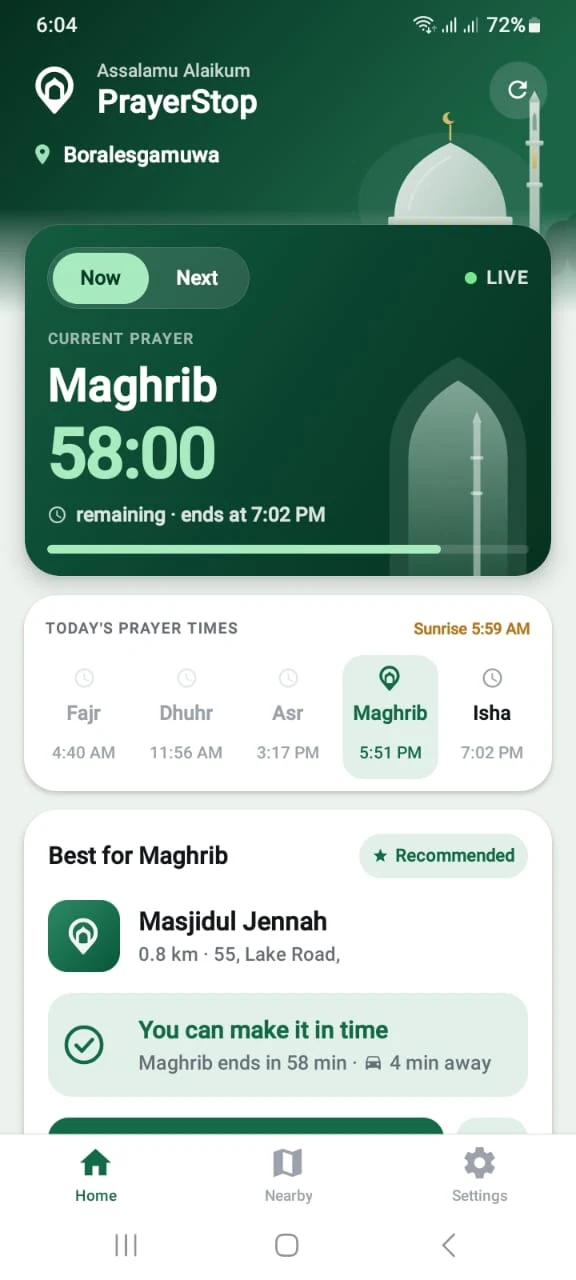
You can make it in time
Maghrib ends in 58 min · 4 min away
One answer: where to go, and whether you'll get there.
Features
Everything you need to get to prayer on time
PrayerStop does one job: getting you to a place to pray before the prayer ends. Every feature serves that.
A recommendation, not a list
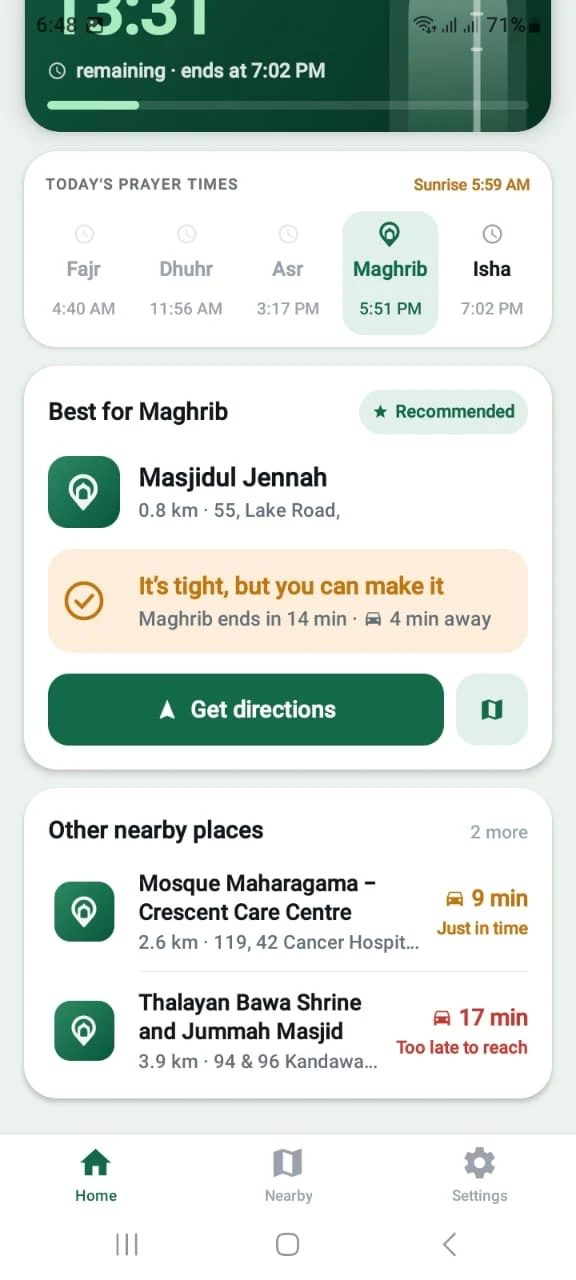
PrayerStop weighs distance against live drive time and the time left in the prayer window, then picks the most practical mosque. If a slightly farther mosque is quicker to reach in traffic, that's the one it suggests.
- Says if it's tight, just in time or too late
- Shows two alternatives nearby
- Gives a leave-by time when planning for Next
Now or Next
Plan for the prayer that's on right now, or switch to the next one and get a time to leave by.
Live drive times
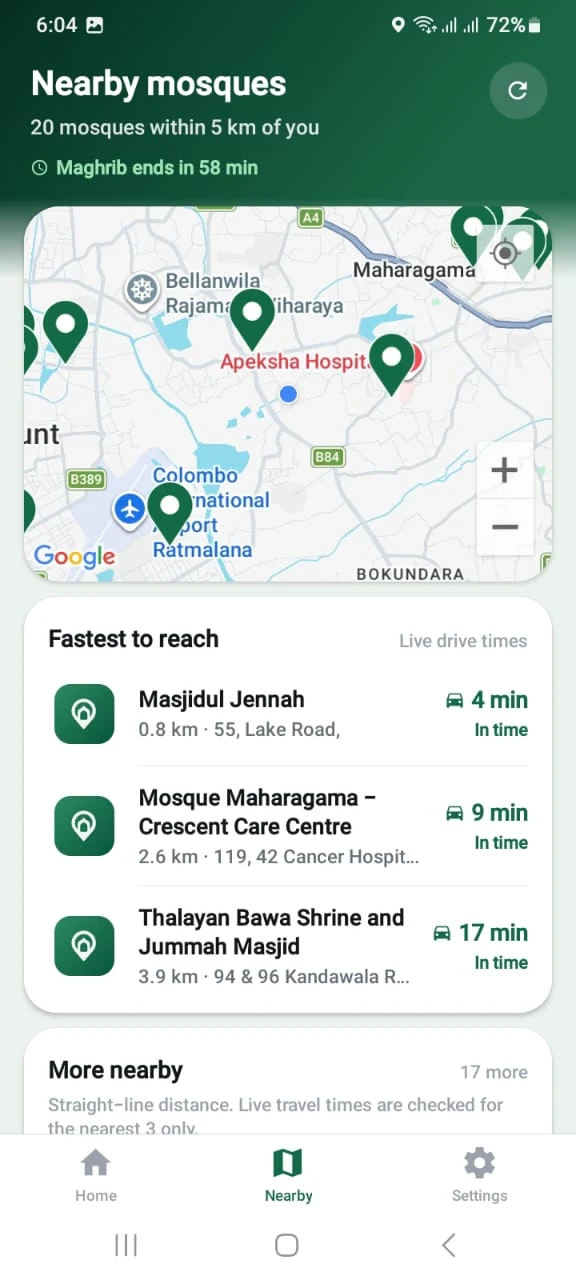
Travel times from Google that account for current traffic, not just distance on a map.
ACJU prayer times
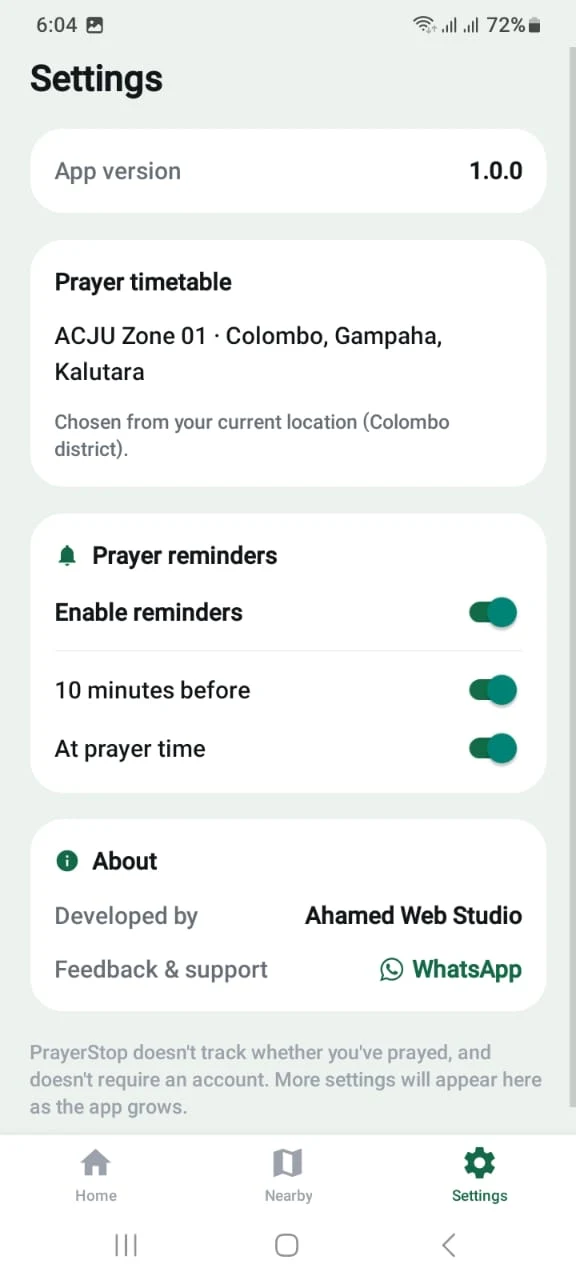
Official ACJU timetables for all 13 zones. Your zone is chosen from your location.
Nearby on a map
Mosques within 5 km on one map, with the fastest to reach listed first.
Prayer reminders
A reminder 10 minutes before each prayer and another when it starts. Turn either off.
One-tap directions
Tap Get directions and Google Maps starts navigating to the mosque.
No account. No prayer tracking. PrayerStop doesn't ask you to sign up, and it never tracks whether you've prayed.
Screenshots
See it in action
Real screens from the current beta, taken in Colombo district.
How it works
From opening the app to on your way
No setup and no searching. Open it when a prayer is due.
- 01
Open PrayerStop
It finds where you are and picks the right ACJU prayer zone for you.
- 02
Choose Now or Next
Now plans for the current prayer. Next plans ahead for the one after it.
- 03
See where to go
PrayerStop recommends a mosque and tells you whether you'll make it before the prayer ends.
- 04
Get directions
One tap opens Google Maps with turn-by-turn directions to the mosque.
Download
Get the PrayerStop beta
Free for Android. Install it, use it for a few days, and tell us what you think.
Download for Android- Version
- 1.0.0 beta
- Requires
- Android 7.0 or newer
- Price
- Free
- Coverage
- Sri Lanka
How to install
PrayerStop isn't on the Play Store yet, so you install it from a file (an APK). It takes about a minute.
- 1
Open this page on your Android phone
The app installs on the phone itself, so start there rather than on a computer.
- 2
Tap Download for Android
The download page opens. Tap Install there to download the PrayerStop APK file.
- 3
Open the downloaded file
Tap the download notification, or find the file in your Files or Downloads app.
- 4
Allow installs from your browser
If Android asks, tap Settings, turn on Allow from this source, then go back. You only need to do this once.
- 5
Tap Install
If Google Play Protect warns that it doesn't recognise the app, tap More details, then Install anyway. This happens with any app that isn't on the Play Store yet.
- 6
Open PrayerStop and allow location
Location is how it finds your zone and nearby mosques. Allow notifications too if you want prayer reminders.
Updating later? Download the new version from this page and install it over the current one. You don't need to uninstall first.
Beta
What to expect from the beta
The core of PrayerStop works today. Some things are still limited, and it's better you know them up front.
Works today
- Live prayer times for all 13 ACJU zones
- Now and Next planning with a live countdown
- Recommended mosque with an in-time check
- Traffic-aware drive times
- Nearby mosques on a map
- Prayer reminders
- Directions through Google Maps
Current limitations
- Android only
- There's no iPhone version yet.
- Sri Lanka only
- Prayer times come from ACJU, so the app doesn't show them outside Sri Lanka.
- Drive times for the closest three
- Live travel times are checked for the three nearest mosques. Others show straight-line distance.
- Mosques listed on Google Maps
- Places come from Google Maps, so some smaller musallahs and prayer rooms may be missing.
- Prayer start times, not jama'ah times
- Times follow the ACJU timetable. Each mosque's own jama'ah time isn't shown.
- Manual updates
- It isn't on Google Play yet, so new versions are installed from this page.
Feedback
Help shape PrayerStop
Every report from the beta goes straight to the developer. Tell us about:
- A mosque that's missing or in the wrong place
- A prayer time or zone that looks wrong
- Anything that crashed, froze or confused you
- What would make it more useful for you
Also inside the app: Settings, then Feedback & support.
FAQ
Questions, answered
Can't find what you need? Ask on WhatsApp.
Yes. It's free to download and use, and you don't need to create an account.
From the official ACJU (All Ceylon Jamiyyathul Ulama) timetables. Sri Lanka is divided into 13 ACJU zones, and PrayerStop picks yours from your location. You can see which zone it's using in Settings.
PrayerStop is built and published by Ahamed Web Studio, and this page is its official download. Only install it from here. Android shows a warning for any app installed outside the Play Store. That's expected, and it's why the install steps above include it.
To work out your ACJU prayer zone, find mosques near you, and calculate how long it takes to reach them. Without location, it can't recommend a place to pray.
Not yet. PrayerStop uses ACJU prayer start times and the end of each prayer's window. Individual mosques set their own jama'ah times, and those aren't in the app.
Not yet. The beta is Android only.
Make sure notifications are allowed for PrayerStop. Some phones also need Alarms & reminders turned on for the app, and battery optimisation turned off, so reminders can arrive on time.
Come back to this page, download the latest version, and install it over the one you have. You don't need to uninstall first.
Send it on WhatsApp. Tell us the mosque name or what you saw, and where you were. Reports like these are what the beta is for.